 Letterblack
Letterblack
Letterblack
Generate ExtendScript, analyze compositions with vision AI, and automate repetitive tasks — all from a professional panel that lives inside your workspace.
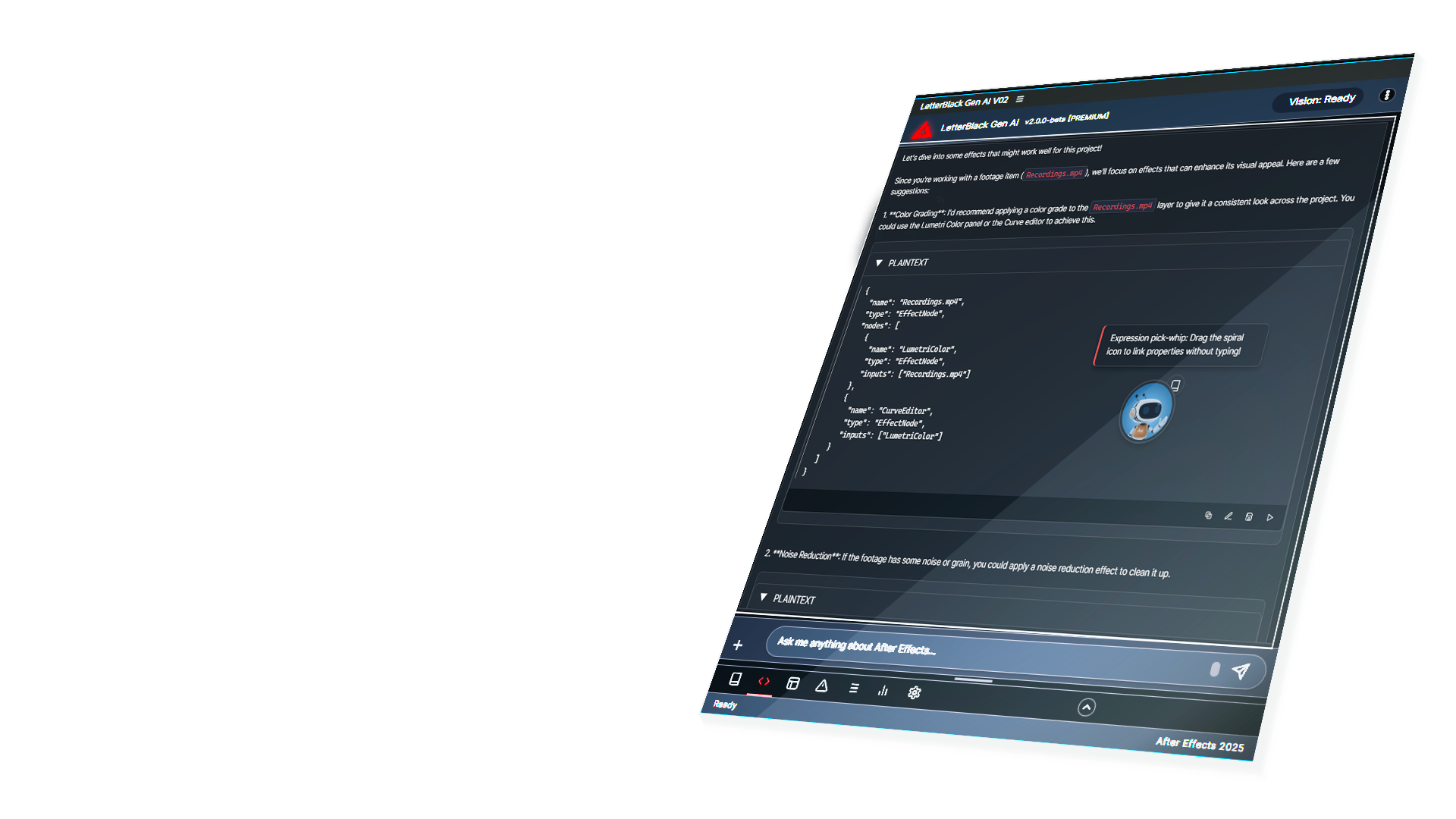
After Effects is powerful — but daily workflows are filled with manual, repetitive tasks that slow you down.
Constantly jumping between Effects, Timeline, Project, and Script Editor breaks focus.
Writing the same rename, organize, and batch scripts over and over for every project.
Cryptic expression errors waste hours when you just need the animation to work.
Searching forums, documentation, and Stack Overflow — losing context every time you switch tabs.
Experience the Letterblack panel interactively — click the tabs to explore each feature
Prefer to listen? We've created a 3-minute audio walkthrough explaining what Letterblack is, how it works, and who it's built for.
Letterblack is a professional CEP extension that brings AI-powered assistance directly into your After Effects workspace — no floating windows, no context switching.
Built for motion designers, technical artists, and studios who need clarity, safety, and speed.
Enable context mode and the AI receives your composition metadata, selected layers, and After Effects version with every message.
If generated code fails, Letterblack automatically detects the error and rewrites the script until it works. No debugging required.
Type "add glow" or "apply drop shadow" — effects and presets are applied instantly via natural language. 3x faster than native panels.
Save client feedback, brand colors, and project rules into the Notebook. Letterblack remembers these details weeks later for consistency.
AI analyzes your current frame, layer stacking, and playhead position — providing context-aware suggestions and visual troubleshooting.
Screenshot your composition and ask questions. Vision models analyze your frames and provide feedback on layout, color, or technical issues.
Organize scripts by category. Save common operations. Share across projects. Everything stored locally on your machine.
Apply complex effect stacks or property changes to 50+ layers with a single command. Instant project-wide consistency.
Smart routing between local models (fast, private) and cloud models (complex reasoning). Automatic cost optimization and offline support.
Letterblack Security & Behavior Engine validates every action before execution. No silent failures, no destructive changes without confirmation.
Track script errors, performance metrics, and diagnostics in dedicated panels. No more hidden failures.
From solo creators to enterprise studios
Speed up repetitive tasks like layer renaming, batch exports, and expression troubleshooting. Focus on creative work, not boilerplate scripting.
Standardize workflows across teams. Provide pre-built scripts for junior artists. Track errors and performance issues before they become blockers.
Integrate AI-assisted workflows into After Effects pipelines. Reduce onboarding time. Maintain control with local-first architecture.
Every feature is designed to fit naturally into your After Effects workspace
Ask questions and get answers without context switching
Organize and execute saved scripts by category
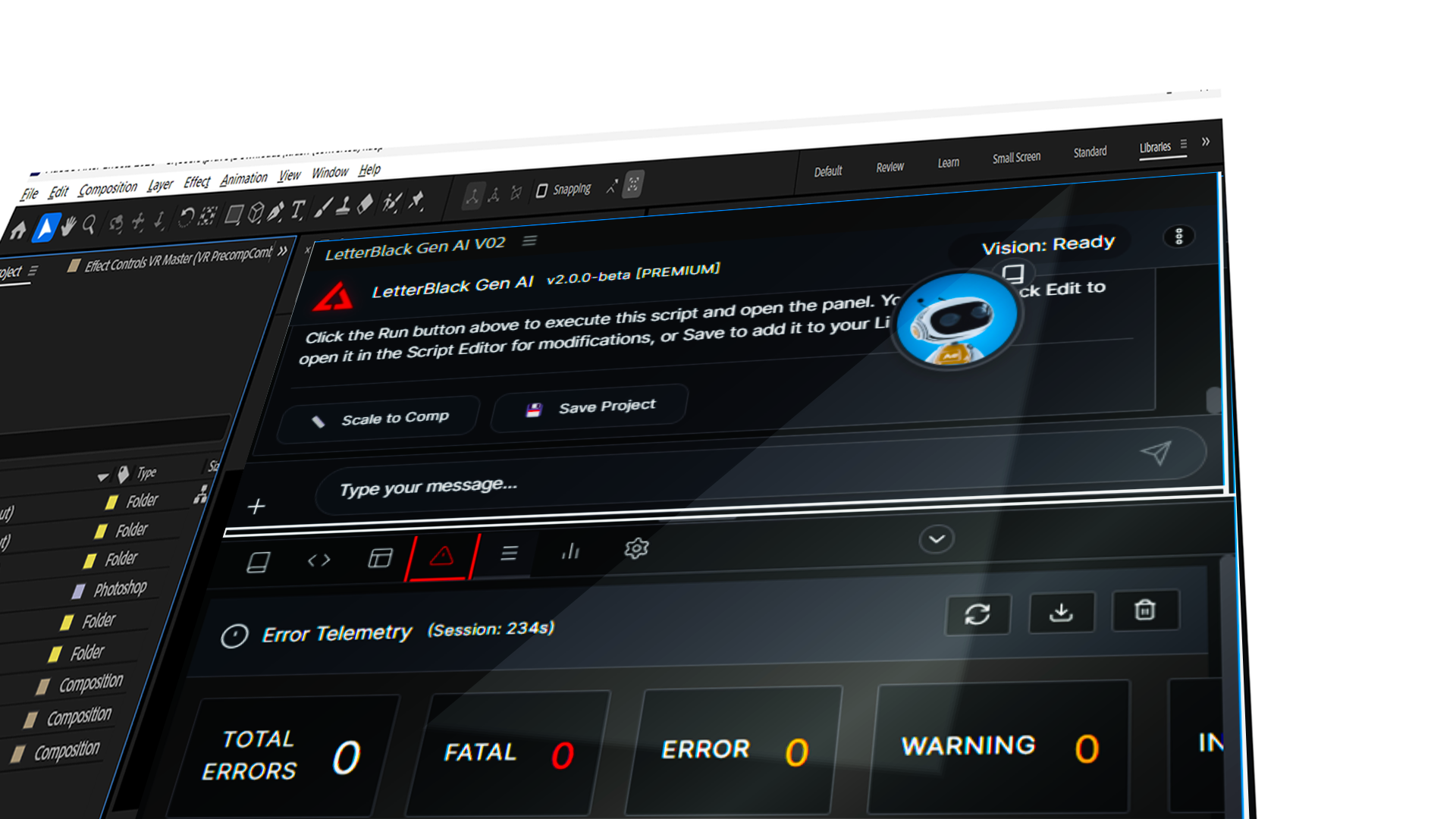
Track errors, performance, and diagnostics
Security, transparency, and control are core design principles
Letterblack Security & Behavior Engine validates every action before it reaches After Effects. No destructive changes, no silent failures.
If generated scripts fail, Letterblack automatically detects errors and rewrites the code until it works. Zero debugging required.
Your API key talks directly to the provider (OpenAI, Anthropic, etc). We never proxy, intercept, or store your requests.
Every script is displayed in the editor before it runs. You review, you click Run. Nothing executes without consent.
Script library, project memory, and settings all live on your machine. Nothing is uploaded to external servers.
Run fully offline with Ollama or LM Studio. No cloud dependency for privacy-sensitive production work.
Every AI action is cleanly recorded in After Effects' native undo stack. Predictable behavior, same result every time.
We don't track your usage, sell your data, or require account logins. One-time purchase, lifetime access.
15 years of VFX experience. Built by someone who uses After Effects daily in production pipelines.
One-time purchase. Bring your own API key. No subscriptions or hidden costs.
Chat with AI inside After Effects. Ask questions, get answers — no code execution.
Chat + code execution. Generate scripts, preview in the editor, run with one click.
The complete toolkit. Vision AI, script library, and every panel unlocked.
All plans include lifetime access to the version you purchase. Bring your own API key — no server costs, no recurring fees.
If Letterblack generates a script that fails, it automatically detects the error, analyzes what went wrong, and rewrites the code until it works — without you touching a single line.
The Letterblack Security & Behavior Engine is a validation gate that sits between the AI and After Effects. It prevents destructive actions, validates every command, and ensures nothing executes silently.
You can save client feedback, brand colors, specific rules (like "always use Hex #FF5733 for logos") into the Notebook. The AI remembers these details weeks later for project consistency.
Timeline Vision analyzes your current frame, layer stacking order, and playhead position. This lets the AI provide context-aware suggestions (e.g., "You're on a title layer — try typography effects").
Letterblack supports OpenAI (GPT-4, GPT-4V), Anthropic (Claude 3/4), Google (Gemini), and Ollama / LM Studio (for local/offline AI).
Yes. Letterblack uses a BYOK (Bring Your Own Key) model. You provide your own API key from OpenAI, Anthropic, or other supported providers. This keeps costs transparent and data private.
Yes. Apply effect stacks, property changes, or scripts to 50+ layers with a single command. Letterblack handles the entire operation instantly.
No. Every script is displayed in the editor panel before execution. You review the code, then click "Run in After Effects" to execute. Nothing runs without your explicit consent.
After Effects 2025 or later. The extension is built with CEP 11 and requires a modern AE version for full compatibility.
Yes. Configure Ollama or LM Studio as your AI provider and Letterblack runs fully offline with no internet connection required. Perfect for privacy-sensitive work.
No. Letterblack is a one-time purchase. You pay once, use forever. No recurring fees, no hidden costs. The only ongoing cost is your API usage (BYOK model).
Windows 10/11 and macOS (Apple Silicon & Intel). The extension is cross-platform compatible with After Effects 2025+ on both operating systems.
Not a demo. Not a prototype. Letterblack is designed for long timelines, tight deadlines, and projects where mistakes cost time.